7 Simple Digital Products You Could Create This Weekend in Almost Any Niche
There is a version of digital product advice that makes everything sound either ridiculously easy or unnecessarily complicated.
On one side, you have:
"Ask ChatGPT to write an ebook, put a cover on it and start making passive income."
On the other, you have people building enormous courses, complicated memberships and 57-page planners before they have any idea whether anyone actually wants them.
I don't think your first digital product needs to be either of those things.
A weekend is enough time to create a small, genuinely useful first version of a digital product.
Not a guaranteed bestseller. Not a fully proven business. Not something you need to spend the next six months perfecting.
Just something real that solves a specific problem and that you can actually put in front of people.
And that is a much more useful place to start.
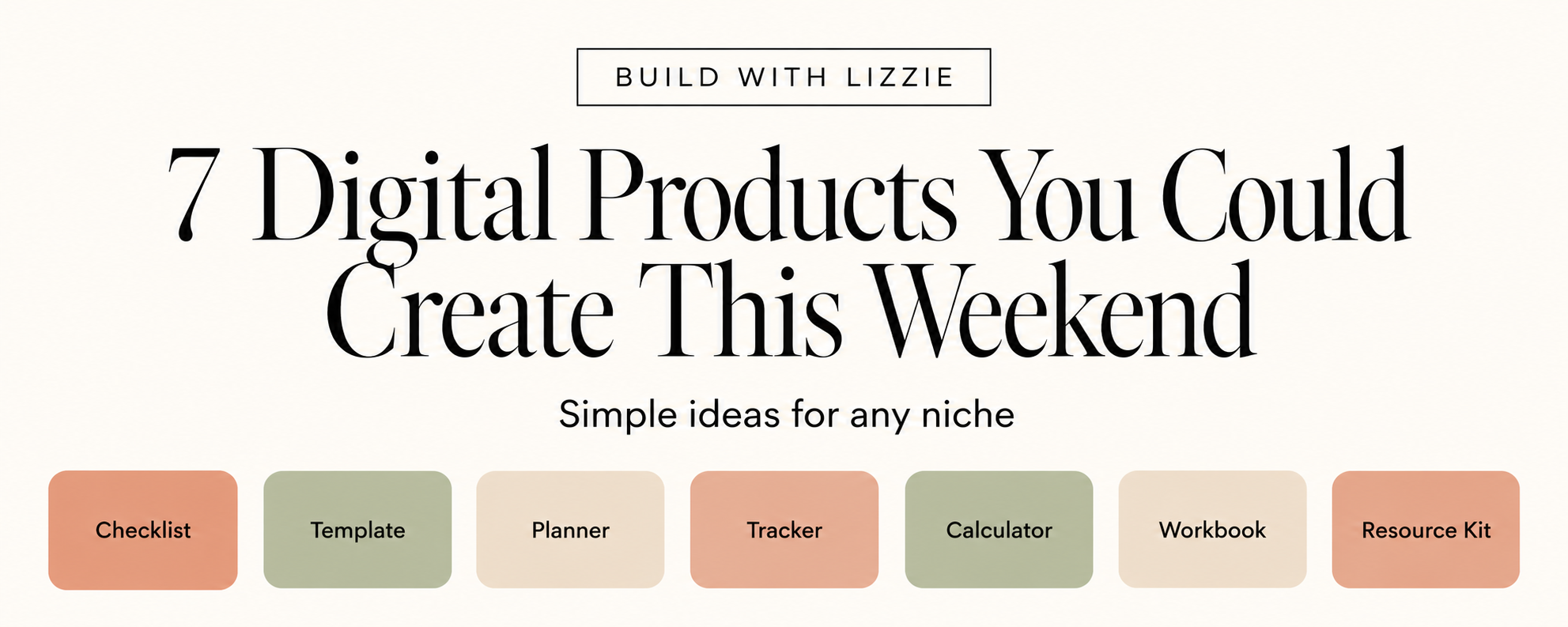
In this post, I'm going to show you seven digital product formats that can work in almost any niche, what each one is useful for, the tools you need, and step-by-step ways you can use ChatGPT to help you create them.
You could use these ideas in niches as different as:
- weddings
- gardening
- pets
- parenting
- teaching
- travel
- fitness
- crafts
- career development
- freelancing
- home organisation
- finance
- hobbies
- events
The niche changes.
The basic product structure doesn't.
Before You Create Anything: Start With the Problem
One of the easiest traps to fall into is deciding you want to make a planner, template or ebook before you've worked out what anybody actually needs.
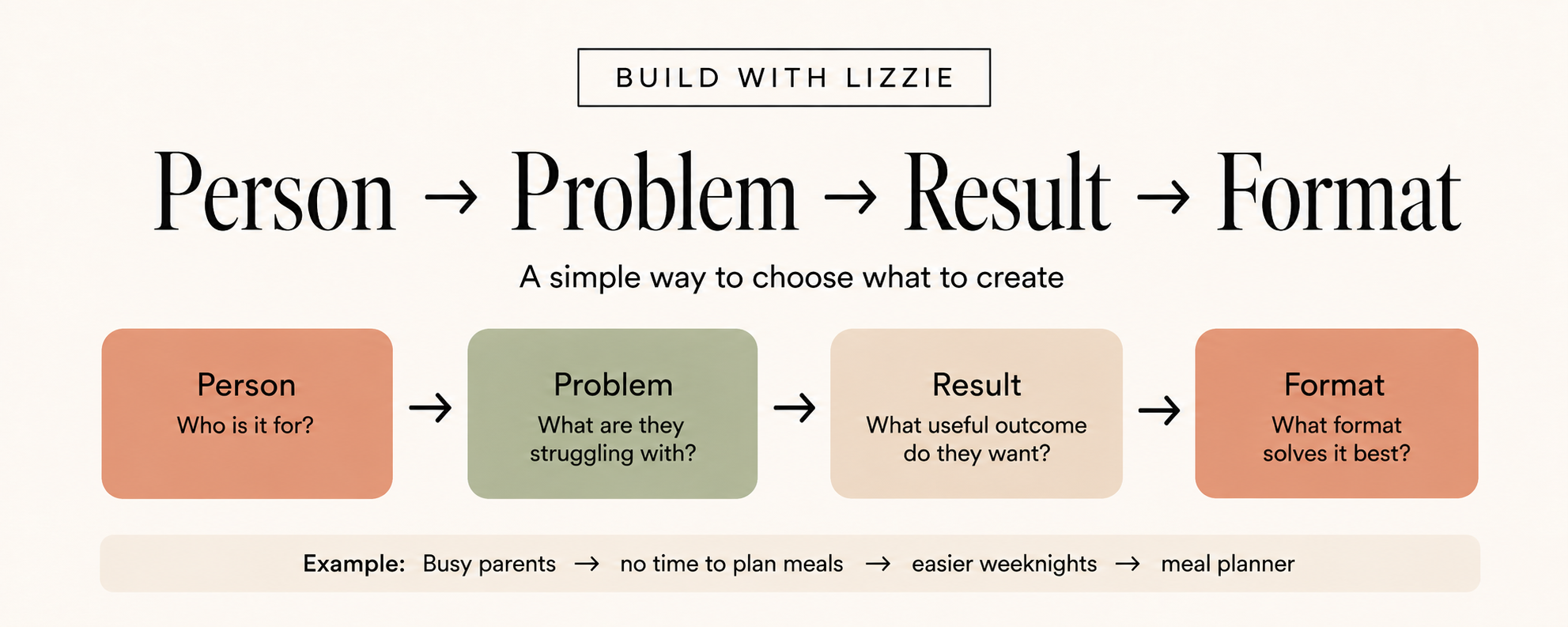
I find it much easier to think about digital products in this order:
Person → Problem → Useful Result → Format
For example:
Person: First-time vegetable gardener
Problem: Doesn't know what to plant or when
Useful result: Knows what needs planting each month
Format: Seasonal planting planner
Or:
Person: New freelance photographer
Problem: Keeps forgetting things before client shoots
Useful result: Has a repeatable process for preparing
Format: Client shoot checklist
The format comes last.
That matters because a 40-page workbook is not automatically more valuable than a one-page checklist.
If the checklist solves the problem better, make the checklist.
If you're completely stuck at the idea stage, you can also start with my free 100 Digital Product Ideas You Can Create With AI workbook and use it to shortlist ideas before you build anything.
1. Create a Checklist
A checklist might not sound exciting.
But that's exactly why I like it as a first digital product.
It is simple.
It has one clear job.
And if it helps someone avoid forgetting something important, it can be incredibly useful.
A good checklist helps someone:
- prepare for something
- complete a process
- avoid common mistakes
- remember important steps
- check that something has been done properly
Checklist ideas for different niches
| Niche | Product idea |
|---|---|
| Weddings | Wedding Venue Viewing Checklist |
| Dogs | New Puppy First Week Checklist |
| Careers | Job Interview Preparation Checklist |
| Travel | Weekend City Break Packing Checklist |
| Gardening | First Vegetable Garden Setup Checklist |
| Freelancing | New Client Onboarding Checklist |
| Parenting | Baby's First Holiday Packing Checklist |
| Fitness | First 5K Race Preparation Checklist |
The key is specificity.
"Wedding Checklist" is vague.
"25 Things to Check Before Booking Your Wedding Venue" has a clear moment when somebody needs it.
Tools you'll need
You can make this with:
- ChatGPT for brainstorming and structuring
- Google Docs for a simple editable version
- Canva for a prettier printable version
- optionally Google Sheets if ticking, sorting or filtering would make it more useful
How to make it
Step 1: Choose one situation
Start with a moment rather than an entire topic.
Instead of:
Gardening checklist
try:
First Vegetable Garden Setup Checklist
Instead of:
Puppy checklist
try:
What You Need Before Bringing Your First Puppy Home
Already, the product feels more useful.
Step 2: Ask ChatGPT to map the process
Use a prompt like this:
I want to create a practical checklist for [AUDIENCE] who are trying to [OUTCOME].
Their specific situation is [SITUATION].
Map the process from beginning to end.
Include:
- the major stages;
- things beginners commonly forget;
- decisions they need to make;
- mistakes they should avoid;
- anything they should prepare in advance.
Do not create the finished checklist yet. Give me the structure first so I can review it.
I like asking for the structure first because it gives you a chance to catch nonsense before it becomes beautifully formatted nonsense.
Step 3: Edit the suggestions
This is where your input matters.
Remove:
- generic filler
- repeated points
- anything irrelevant
- anything you cannot verify
Add anything obvious that is missing.
Step 4: Turn it into the finished checklist
Then ask:
Turn this approved structure into a concise checklist.
Make each item action-focused.
Group related actions under simple headings.
Keep explanations short.
This should feel like something someone could genuinely use while completing the task, not an article disguised as a checklist.
Step 5: Design it simply
You really don't need much.
A good checklist could contain:
Title
Who this is for
A one-sentence instruction
Checklist sections
Final check
That's it.
Step 6: Actually use it
Pretend you're the customer.
Go through every step.
If something is confusing when you're using it, it will probably be confusing for them too.
2. Create a Template
Templates are useful because they remove the blank page.
Someone knows they need to create something.
They just don't want to start from nothing.
That could be:
- an email
- a proposal
- a schedule
- a form
- a worksheet
- a client brief
- a social post
- a plan
- a spreadsheet
- a Notion page
Template ideas for different niches
| Niche | Product idea |
| Teaching | Parent Communication Email Templates |
| Freelancing | Client Project Brief Template |
| Weddings | Wedding Day Timeline Template |
| Fitness | Weekly Workout Planning Template |
| Travel | Trip Itinerary Template |
| Property | House Viewing Notes Template |
| Creators | Content Brief Template |
| Students | Assignment Planning Template |
Tools you'll need
Depending on the template:
- ChatGPT
- Google Docs
- Google Sheets
- Canva
- Notion
Pick the tool based on what the customer needs to do with the product.
Not based on which tool looks fanciest.
How to make it
Step 1: Find the repeated task
Ask:
What does this person keep having to create from scratch?
That's often where a template opportunity lives.
A freelance designer might repeatedly create project briefs.
A wedding photographer might repeatedly send preparation emails.
A student might repeatedly plan assignments.
Step 2: Start with one template
You do not need:
The Ultimate 100 Template Mega Bundle
to begin.
Create one thing that works.
Step 3: Ask ChatGPT to structure it
Try:
I want to create a reusable [TYPE OF TEMPLATE] for [AUDIENCE].
They will use it when [SITUATION].
It should help them [RESULT].
Before drafting the template, identify:
- what information they need before using it;
- the essential sections;
- which parts should stay fixed;
- which parts should be customised;
- common mistakes the template should prevent.
Keep it useful and simple. Do not add sections simply to make it look more comprehensive.
Step 4: Create the first version
Follow with:
Now create the first version.
Use [SQUARE BRACKETS] wherever the user needs to customise something.
Add short instructions only where they genuinely help.
Step 5: Fill it in yourself
This is one of the best tests.
A template can look beautifully organised until you actually try to use it.
Fill in every field.
Anything awkward?
Anything missing?
Anything unnecessary?
Fix it.
Step 6: Add a tiny instruction page
You could include:
When to use this
What to customise
One completed example
That makes the product much easier to understand without adding loads of bulk.
3. Create a Planner
A checklist usually asks:
Have I remembered everything?
A planner asks:
What am I going to do, and when?
That makes planners useful when someone is trying to move towards a result over time.
Planner ideas
- 30-Day Decluttering Planner
- Half-Marathon Training Planner
- Wedding Planning Timeline
- Seasonal Garden Planner
- Job Search Planner
- Content Planner
- Exam Revision Planner
- Home Renovation Planner
Tools you'll need
- ChatGPT for breaking the goal into stages
- Canva for printable planners
- Google Sheets for editable or calculation-heavy planners
- Notion if task and database features actually help
How to make it
Step 1: Define the finish line
Avoid vague goals like:
Get organised.
Instead:
Prepare for a first craft fair in six weeks.
or:
Complete a 10K training plan over eight weeks.
Specific outcomes make planning much easier.
Step 2: Work backwards
Ask ChatGPT:
I am creating a simple planner for [AUDIENCE] who want to [SPECIFIC RESULT] over [TIME PERIOD].
Reverse-engineer this result into:
- major stages;
- milestones;
- important tasks;
- decisions;
- things that should happen earlier rather than later.
Keep it realistic for a beginner.
Flag anything where the timing will depend heavily on individual circumstances.
Step 3: Decide how people will plan
Will it work best:
- daily?
- weekly?
- monthly?
- milestone by milestone?
Don't automatically create 365 daily pages because planners are "supposed" to have them.
Step 4: Create the core pages
A simple planner could be:
- Start Here
- My Goal
- Timeline
- Weekly Plan
- Progress Check
- Notes
That's plenty.
Step 5: Use meaningful prompts
Instead of:
Thoughts:
try:
What is the one thing that must move forward this week?
A prompt should make the user think or act.
Step 6: Fill it out with sample information
You will spot problems much faster when you see the planner in use.
4. Create a Tracker
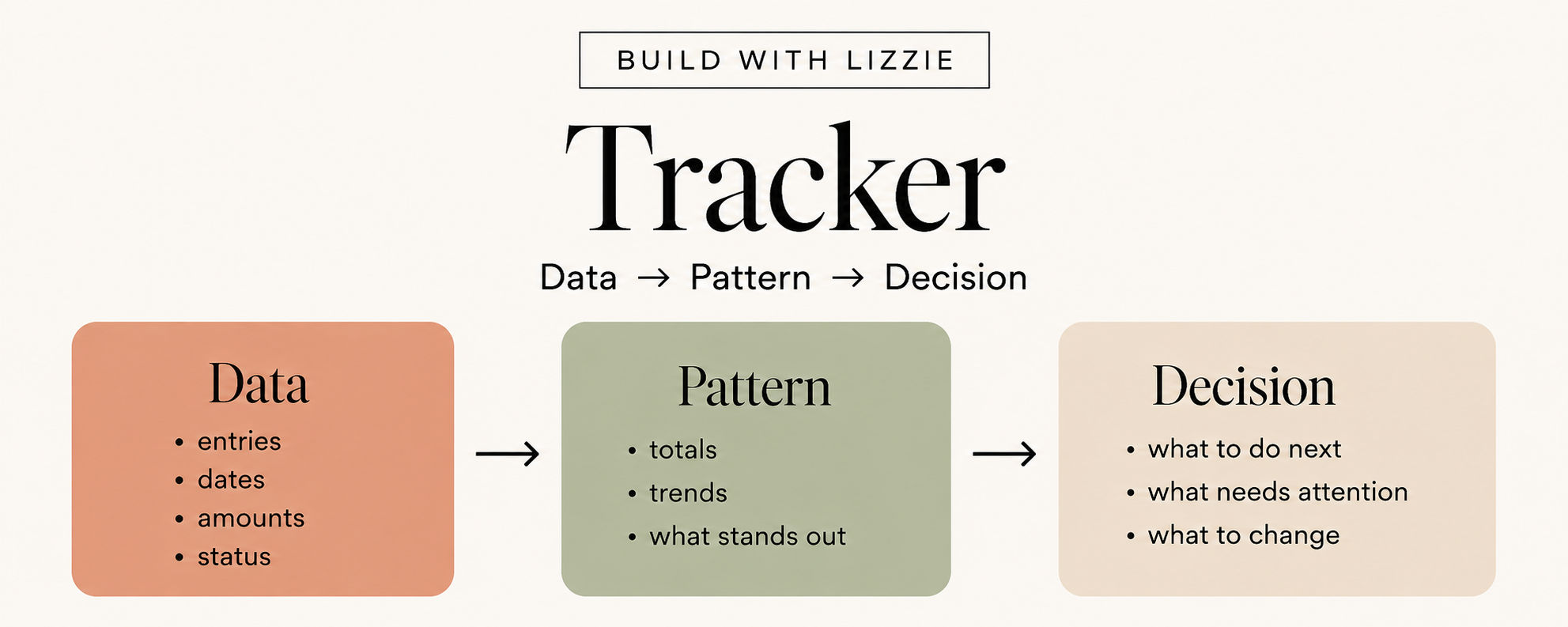
A tracker becomes useful when somebody needs to see what is happening over time.
People track all sorts of things:
- money
- habits
- progress
- applications
- bookings
- projects
- inventory
- reading
- payments
- routines
Tracker ideas
- Job Application Tracker
- Plant Watering Tracker
- Craft Fair Sales Tracker
- Pet Medication Tracker
- Reading Tracker
- Wedding Payment Tracker
- Habit Tracker
- Freelance Invoice Tracker
Tools you'll need
For this one, I would usually use:
Google Sheets or Excel
plus ChatGPT to help with:
- columns
- dropdowns
- formulas
- statuses
- summary calculations
- conditional formatting
How to make it
Step 1: Ask what the information needs to tell them
This is important.
Don't ask:
What could we track?
Ask:
What does the user need to know after they've tracked it?
For a job application tracker, the useful result might be:
I know which applications need following up.
For an invoice tracker:
I know who still owes me money.
That's much more valuable than simply collecting rows of information.
Step 2: Plan the sheet
Prompt:
I want to create a [TRACKER] in Google Sheets for [AUDIENCE].
They need to track [WHAT] so they can [RESULT].
Recommend:
- essential columns;
- optional columns;
- useful dropdowns;
- statuses;
- calculations;
- conditional formatting;
- one simple summary area.
Do not add features unless they make the tracker easier to use or help the user make a useful decision.
Step 3: Build the simplest version
Start with the core table.
Don't build the dashboard yet.
Step 4: Add calculations that matter
For example:
- total
- average
- percentage complete
- days remaining
- amount outstanding
Step 5: Add dropdowns
Something as simple as:
Not Started / In Progress / Done
can make a tracker much easier to use.
Step 6: Add a small summary
A job tracker might show:
Applications sent: 16
Awaiting response: 7
Interviews: 3
Follow-ups due: 4
Now the tracker is helping the person understand what is happening, not just record it.
Step 7: Test everything
Enter fake information.
Try blank rows.
Change statuses.
Check totals manually.
Never assume an AI-generated spreadsheet formula works simply because it looks complicated enough to be correct.
5. Create a Calculator
This is one of my favourite digital product formats because a calculator can give somebody a very clear result.
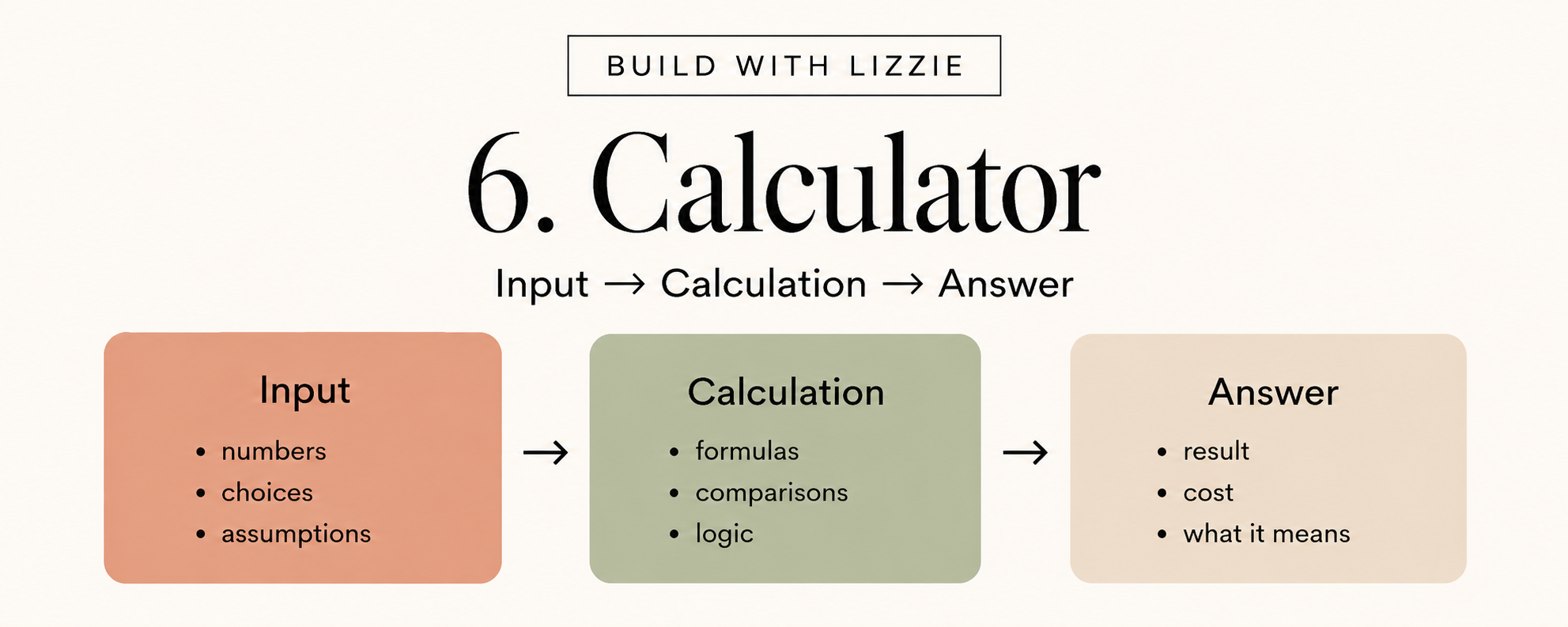
The basic structure is:
Input → Calculation → Answer
The customer doesn't really care about the spreadsheet.
They care about the answer it gives them.
Calculator ideas
| Niche | Product |
| Weddings | Guest List Cost Calculator |
| Freelancing | Project Pricing Calculator |
| Fitness | Training Pace Calculator |
| Crafting | Handmade Product Cost Calculator |
| Travel | Holiday Budget Calculator |
| Property | Renovation Budget Calculator |
| Gardening | Seed Quantity Calculator |
| Events | Catering Quantity Calculator |
Tools you'll need
Usually:
- Google Sheets or Excel
- ChatGPT for formula and logic support
- reliable external sources if you're using established calculations or factual assumptions
How to make it
Step 1: Write down the exact question
Not:
Pricing calculator.
Better:
What is the minimum price I need to charge to cover my costs, working time and desired profit margin?
You now know what the product actually needs to answer.
Step 2: Work out the inputs
Prompt:
I want to create a simple calculator for [AUDIENCE] that answers:
"[QUESTION]"
Before creating formulas, identify:
- the inputs the user needs to provide;
- the calculations required;
- the outputs they need;
- assumptions involved;
- anything that should be manually verified before publishing.
Keep the tool understandable for a beginner.
Step 3: Keep the user journey short
Ideally:
Enter this
↓
Enter this
↓
See your answer
If the user has to fill in 43 boxes before anything useful happens, ask whether all 43 are actually necessary.
Step 4: Ask ChatGPT for formula help
Once you know your cells:
I am building this calculator in Google Sheets.
These are my input and output cells:
[PASTE YOUR CELL STRUCTURE]
Give me the formulas needed for each calculated field.
Explain every formula in plain English.
Then give me three test cases with the expected results so I can check the formulas manually.
I really like adding that last instruction.
You are not asking AI to simply produce a formula.
You're asking it to help you test it too.
Step 5: Test weird inputs
Try:
- zero
- blank cells
- decimals
- large numbers
- unusual combinations
You want to know what breaks before a customer finds out.
Step 6: Give context to the answer
Instead of:
£425
show:
Estimated total: £425
Budget: £500
Remaining: £75
Now the calculation helps with a decision.
6. Create a Guided Workbook
An ebook mainly says:
Here is information.
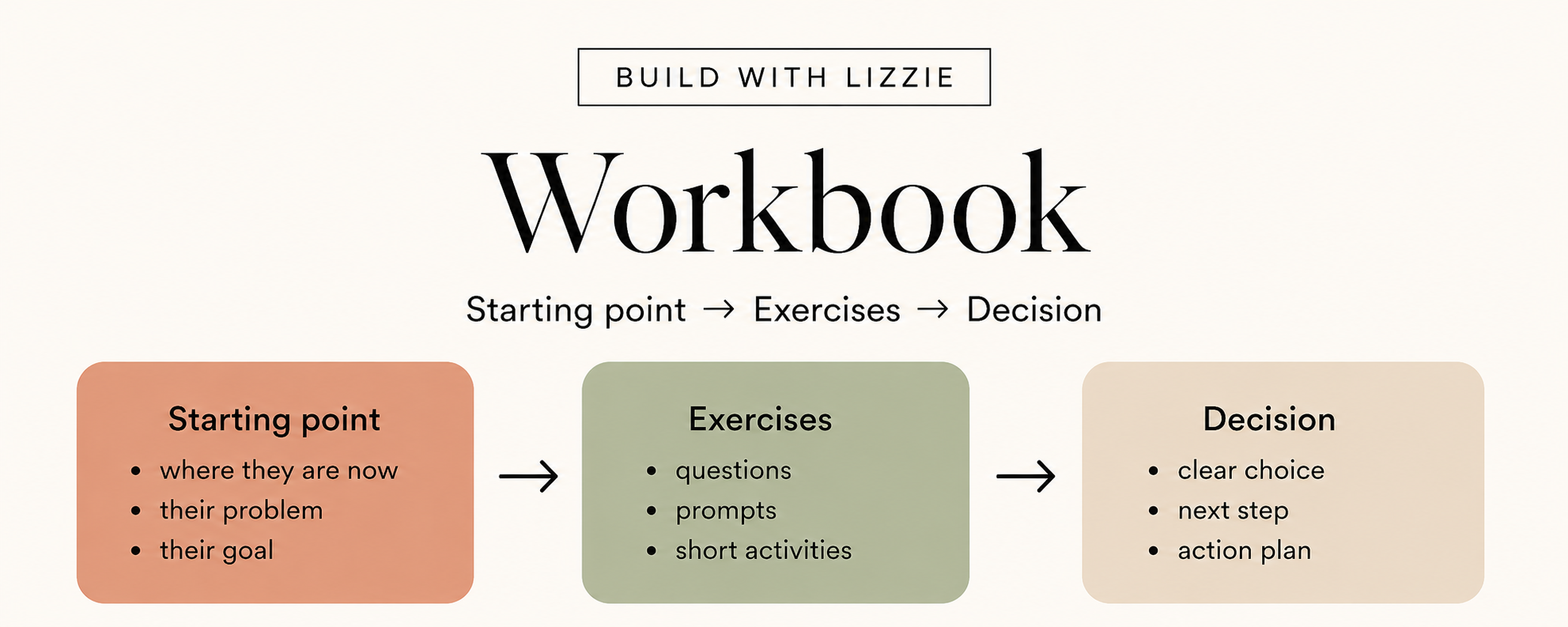
A workbook says:
Let's work through this.
That's a big difference.
A good workbook moves somebody from one state to another.
Workbook ideas
- Choose Your First Vegetable Garden Workbook
- Should I Change Careers? Decision Workbook
- Wedding Priorities Workbook
- Find Your Photography Niche Workbook
- First Home Viewing Workbook
- Choose Your Digital Product Idea Workbook
- Family Holiday Planning Workbook
Tools you'll need
- ChatGPT
- Google Docs
- Canva
You probably don't need anything more complicated.
How to make it
Step 1: Define where they start
Example:
I have five possible business ideas and don't know which one to pursue.
Step 2: Define where they finish
I have chosen one idea to investigate first and understand why.
That's the transformation.
Step 3: Map the decisions between them
Prompt:
I want to create a guided workbook for [AUDIENCE].
They start with:
[STARTING STATE]
They should finish with:
[ENDING STATE]
Map the smallest useful sequence of decisions, exercises or questions that could move them from the starting state to the ending state.
Do not give me dozens of generic journal prompts.
Every exercise must move the user closer to the final result or decision.
Step 4: Turn each stage into an exercise
For example:
Exercise 1: Identify what matters
Exercise 2: Identify constraints
Exercise 3: Compare options
Exercise 4: Score possibilities
Exercise 5: Decide the next action
Step 5: Add examples
Ask:
Create one realistic completed example for each exercise so the reader can see what a useful answer might look like.
Examples are incredibly useful in workbooks.
Sometimes a blank box is intimidating because the reader doesn't know what level of answer you're expecting.
Step 6: End with something concrete
A workbook should not just... stop.
End with:
My decision: ______
My reason: ______
My next step: ______
Now the person has produced something.
Step 7: Remove filler
If a page doesn't help the customer move forward, delete it.
A 12-page workbook where every page matters beats a 52-page workbook full of motivational quotes.
7. Create a Resource Kit
A resource kit combines a handful of small products around one situation.
This can work in almost any niche.
And it can feel much more valuable than simply bundling together random printable pages.
Example: New puppy kit
You could include:
- first week checklist
- feeding tracker
- supply list
- vet question sheet
Example: Craft fair seller kit
- packing checklist
- stock tracker
- product pricing worksheet
- sales record
Example: New manager 1:1 kit
- meeting agenda
- question bank
- notes template
- follow-up checklist
Example: Wedding venue comparison kit
- venue viewing checklist
- questions to ask
- package comparison sheet
- cost calculator
Example: Beginner gardening kit
- planting planner
- seed inventory
- watering tracker
- garden setup checklist
Notice that each bundle is built around one recognisable situation.
Not:
Ultimate Gardening Mega Bundle
but:
Your First Vegetable Garden Starter Kit
Much clearer.
Tools you'll need
Potentially:
- ChatGPT
- Canva
- Google Docs
- Google Sheets
- Notion
You don't need all of them.
Use whichever tools suit the individual resources.
How to make it
Step 1: Choose one situation
Ask yourself:
What is happening in this person's life right now?
Step 2: Identify their main jobs and problems
Prompt:
[AUDIENCE] is dealing with [SPECIFIC SITUATION].
I want to create a small digital resource kit that helps them through it.
Identify the 5 to 8 main tasks, problems or decisions they are likely to encounter.
For each one, recommend the smallest useful digital resource that could help.
Possible formats include:
- checklist
- tracker
- template
- calculator
- planner
- worksheet
- quick-reference guide
Avoid adding resources just to make the bundle look bigger.
Step 3: Pick the best three to five
You do not need eight.
You certainly don't need 25.
Pick the resources that solve the most important parts of the situation.
Step 4: Build them
You can use the mini processes earlier in this article.
Step 5: Give the kit an order
Create a simple Start Here page:
Start with this
↓
Then complete this
↓
Use this while you're doing it
↓
Use this if you need to decide between options
Now it feels like one product.
Step 6: Make everything visually consistent
Use the same:
- colours
- fonts
- terminology
- headings
- instruction style
Step 7: Run through the whole thing
Ask yourself:
Does this feel like one little system?
or:
Have I just put four PDFs in a folder?
There is a difference.
Which Digital Product Should You Make First?
Here's the easiest way I would choose.
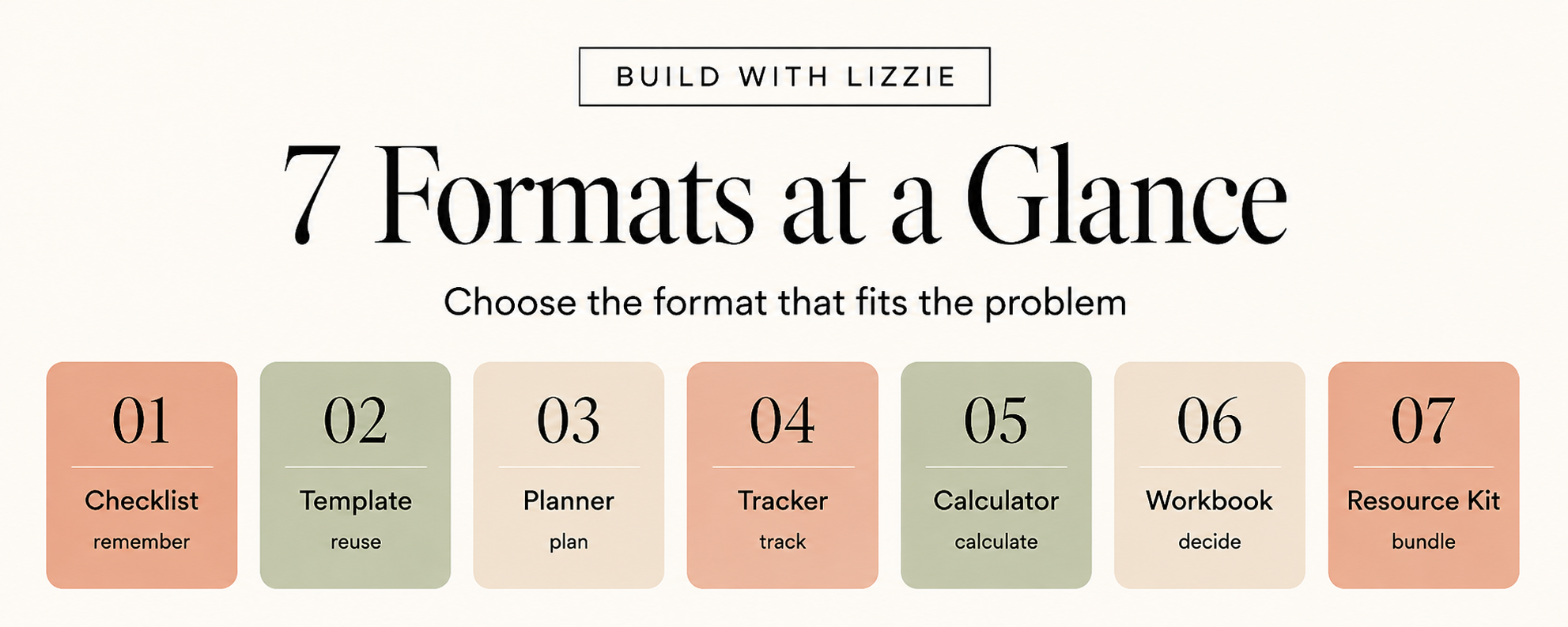
| If you want to create... | Start with... |
| The quickest possible product | Checklist |
| Something reusable | Template |
| Something that guides action over time | Planner |
| Something that records progress | Tracker |
| Something that gives an answer | Calculator |
| Something that guides thinking | Workbook |
| A fuller mini solution | Resource Kit |
There isn't a "best" format.
There is only the format that fits the problem best.
And personally, I would rather create a tiny product that somebody uses than a huge product they download and never open.
How to Build Your First Version Over a Weekend
If I were starting with one of these, I would keep the weekend really simple.
Saturday Morning: Choose the idea
Give yourself around an hour.
Write:
Person:
Who is this for?
Problem:
What specifically are they struggling with?
Result:
What useful outcome do they want?
Format:
Which of the seven formats solves that problem best?
You can use this ChatGPT prompt:
I am considering creating a digital product for [AUDIENCE] who struggle with [PROBLEM].
Give me 10 small digital product concepts that could help them achieve [RESULT].
Only use these formats:
- checklist
- template
- planner
- tracker
- calculator
- workbook
- resource kit
Prioritise ideas I could realistically prototype in 4 to 6 hours.
For each idea, explain why that specific format fits the problem.
Pick one.
Not five.
One.
Saturday Afternoon: Build the useful part
Spend a couple of hours creating the actual thing.
Before worrying about colours:
- map the user journey
- create the questions or fields
- build the calculations
- structure the checklist
- create the template
- test the basic logic
This is the product.
The branding comes later.
Sunday Morning: Test and Design
Now make it presentable.
You can:
- add your colours
- improve spacing
- add headings
- create a Start Here page
- make inputs clear
- check readability
Then test everything.
If it's a spreadsheet, test the formulas.
If it's a workbook, complete the workbook.
If it's a template, fill it out.
If it's a checklist, actually follow it.
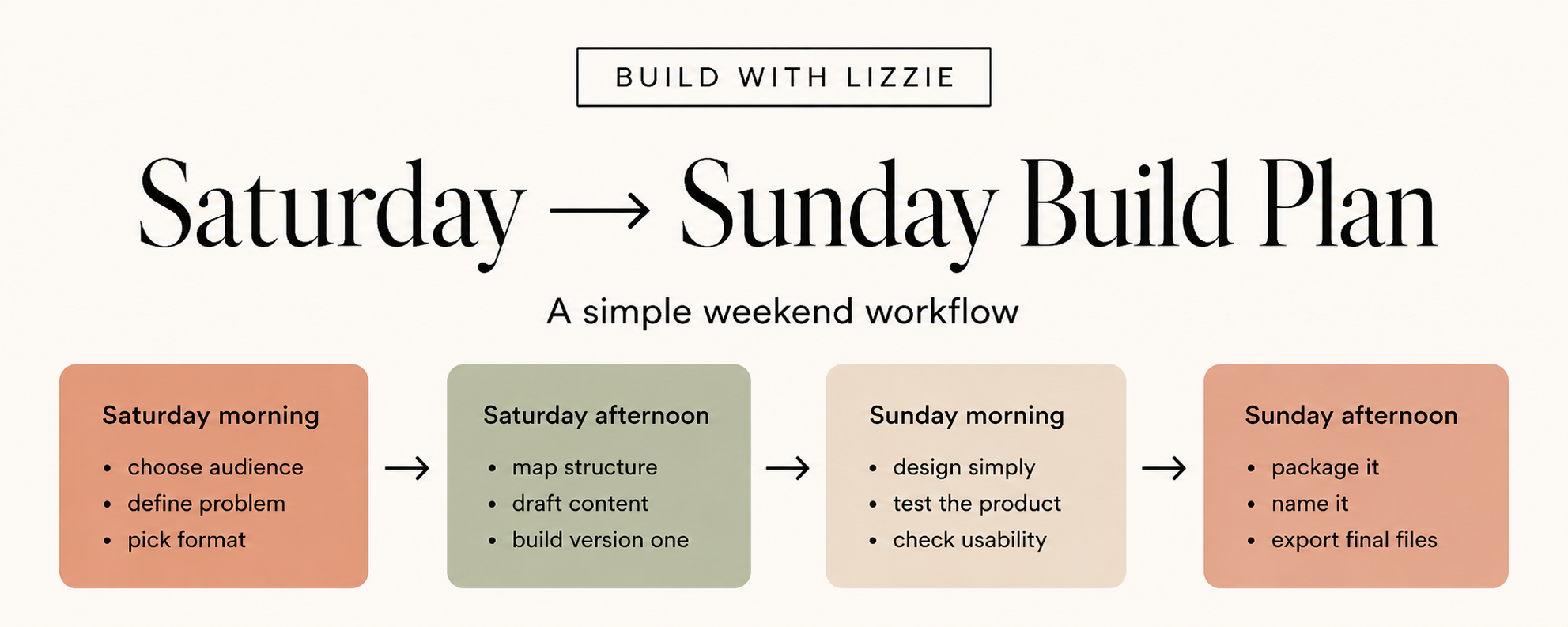
Sunday Afternoon: Package the Prototype
By the end of the weekend, try to have:
- a clear product name
- a one-sentence promise
- the finished first version
- basic instructions
- a simple product image or mockup
And then stop.
Seriously.
You don't need to turn your first little product into a 97-page "ultimate bundle" because you have three hours left on Sunday.
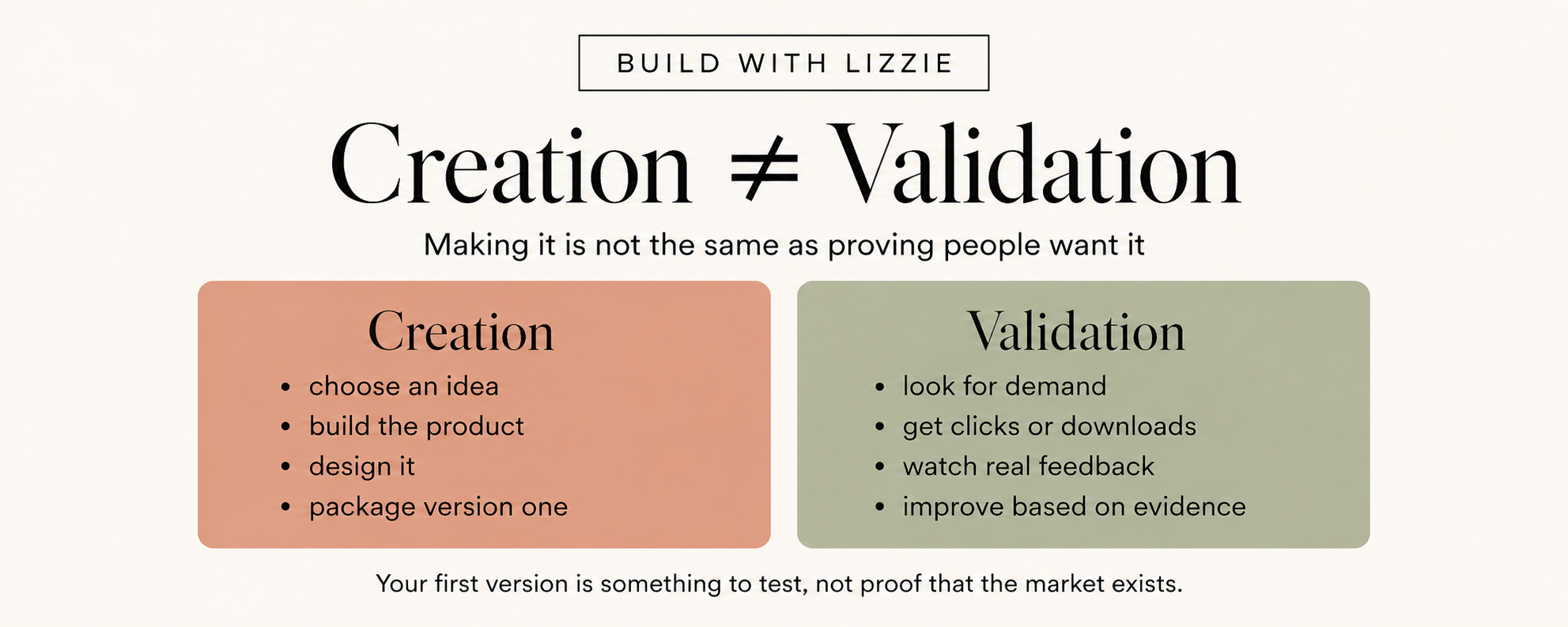
Creating It Is Not the Same as Proving People Want It
This is possibly the most important part.
You have made a product.
Great.
That doesn't automatically mean you've found a market.
Your next job is to look for evidence.
That might include:
- what people are searching for
- questions in online communities
- Pinterest searches
- comments
- reviews on existing products
- competitor offers
- people downloading a related freebie
- clicks
- email replies
- people asking for help with the problem
I think this is a much less stressful way to approach digital products.
You don't need your first idea to be perfect.
You need something small enough that you can create it, learn from it, and change direction if necessary.
The goal of your first weekend isn't:
I have now built my passive-income empire.
It's:
I went from thinking about making something to having a real product idea I can actually test.
That is a big step.
Frequently Asked Questions
What is the easiest digital product to create?
A narrow checklist, template or simple planner is usually one of the easiest places to start.
They require relatively little technical setup, but they can still be very useful if they solve a specific problem.
Can I really create a digital product in a weekend?
You can realistically create a first useful prototype of a small digital product over a weekend.
That doesn't mean the product is automatically validated or ready to become your entire business.
Research, testing and improvement can come afterwards.
Can ChatGPT create the whole digital product for me?
ChatGPT can help with a lot of the messy middle.
It can help you:
- brainstorm
- organise information
- draft
- create examples
- structure worksheets
- suggest formulas
- critique your idea
- identify things you've missed
But you still need to decide what is useful, check factual information, test formulas and judge whether the final product actually works.
I wouldn't blindly publish something simply because AI produced it.
What digital products work in almost any niche?
The seven formats in this article are particularly flexible:
- Checklists
- Templates
- Planners
- Trackers
- Calculators
- Workbooks
- Resource kits
You could adapt all seven to hundreds of different niches.
Do I need to make an ebook?
No.
Sometimes an ebook is exactly the right format.
Sometimes it isn't.
A customer who needs help calculating something probably wants a calculator.
Someone who needs help remembering something probably wants a checklist.
Someone trying to make a decision might want a workbook.
Start with the problem.
Then choose the format.
What tools do I need to create digital products with AI?
For a surprising number of products, this is enough:
ChatGPT + Google Docs + Google Sheets + Canva
You don't have to use all four.
Choose the simplest combination that lets you create something genuinely useful.