How to Start an Email List From Scratch With One Simple Freebie
When I first started looking into email lists, I made it feel far more complicated than it needed to be.
Suddenly there were landing pages, funnels, automations, welcome sequences, broadcasts, tags, segments… and about 500 different opinions on what you must have before you start.
But stripped right back, an email list can begin with something incredibly simple:
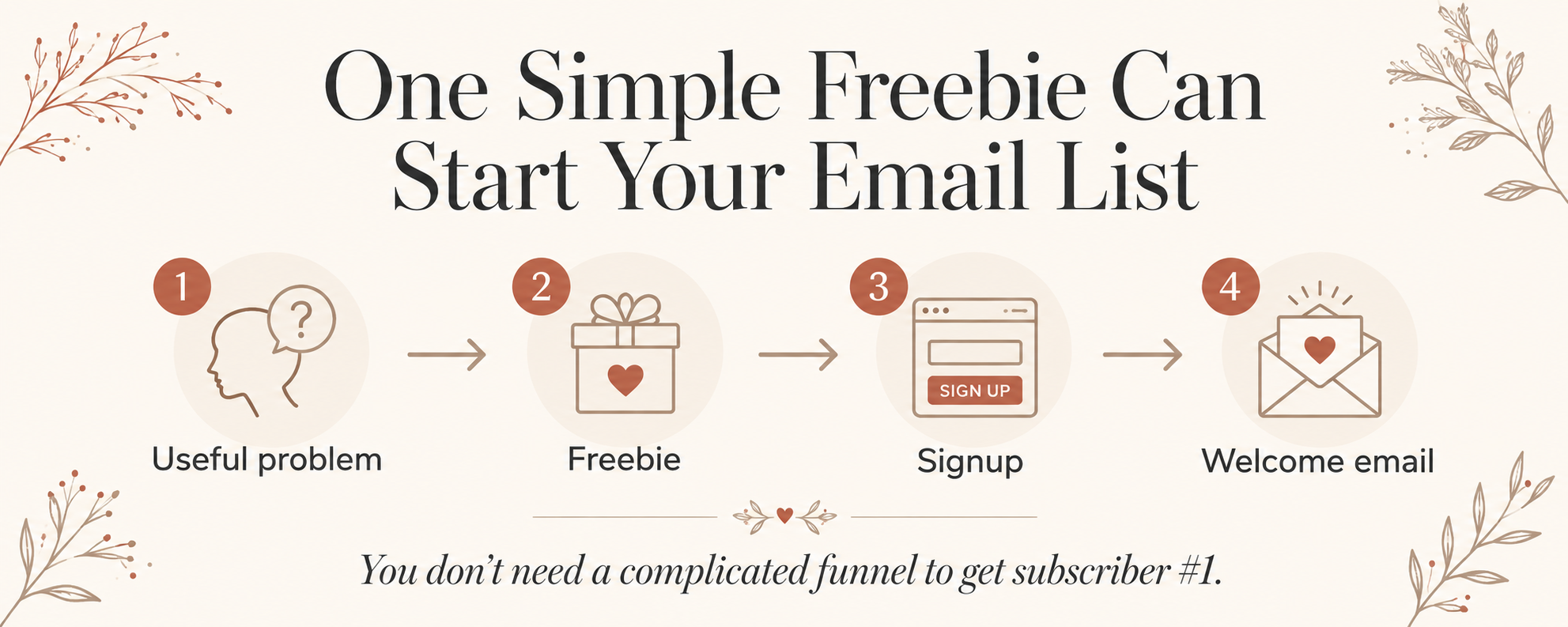
Create one useful thing → let someone exchange their email address for it → send it to them.
That's it.
You don't need five freebies. You don't need a huge website. You don't need thousands of followers.
You just need one good reason for one person to subscribe.
And if I were starting an email list completely from scratch today, this is exactly how I'd do it.
1. Decide Who You Actually Want on Your Email List
Before worrying about email platforms or signup forms, think about who you want to attract.
You don't need to know every detail about your perfect customer.
You just need a general idea of the person you're trying to help and the kinds of problems you want to create content around.
For example:
If you create gardening content, maybe you want beginner vegetable gardeners.
If you talk about careers, perhaps you want people trying to land a new job.
If you create wedding content, you might want couples trying to plan a beautiful wedding without completely losing control of the budget.
And if you're creating content about digital products, you might want someone who knows they want to make something online but doesn't really know where to start.
The goal isn't to build the biggest possible list.
I'd much rather have people subscribe because they genuinely want something connected to the things I plan to keep talking about.
That gives you a much more useful email list later.
2. Start With One Freebie
This is the bit I think gets overcomplicated really quickly.
You do not need an entire free resource library.
You don't need a 50-page ebook.
And your first freebie definitely doesn't need to solve every problem your audience will ever have.
Its job is much smaller:
Solve one useful problem well enough that the right person is happy to exchange their email address for it.
That could be:
For gardeners:
A First Vegetable Garden Planting Checklist
For job seekers:
20 Interview Questions to Practise Before Your Next Interview
For couples planning a wedding:
A Wedding Budget Reality Check
For meal planning:
A 7-Day Meal Planner + AI Meal Planning Prompt
For digital-product beginners:
A Create Your First Freebie With AI Workbook
Notice how none of these need to be enormous.
They're just specific and useful.
Tip
Don't ask:
“What's the biggest thing I could give away?”
Ask:
“What's one problem I could help somebody solve quickly?”
That's a much easier place to start.
3. Find a Problem People Already Want Help With
A simple framework I like is:
WHO + PROBLEM + QUICK RESULT
Let's use my own freebie as an example.
Who?
Someone who wants to start building an audience or email list.
Problem?
They know they probably need a freebie but have absolutely no idea what to create.
Quick result?
They leave with a much clearer freebie idea and a plan for creating it.
That becomes:
Create Your First Freebie With AI Workbook.
The freebie isn't trying to teach somebody everything about running an online business.
It's solving the next problem in front of them.
Tool: ChatGPT
If you're stuck here, try this prompt:
I want to build an email list around [TOPIC]. My audience is [AUDIENCE]. Give me 20 small, specific problems they would happily exchange their email address for help solving. For each one, suggest a simple freebie idea and the quick result someone would get from using it. Avoid broad ebooks and generic advice.
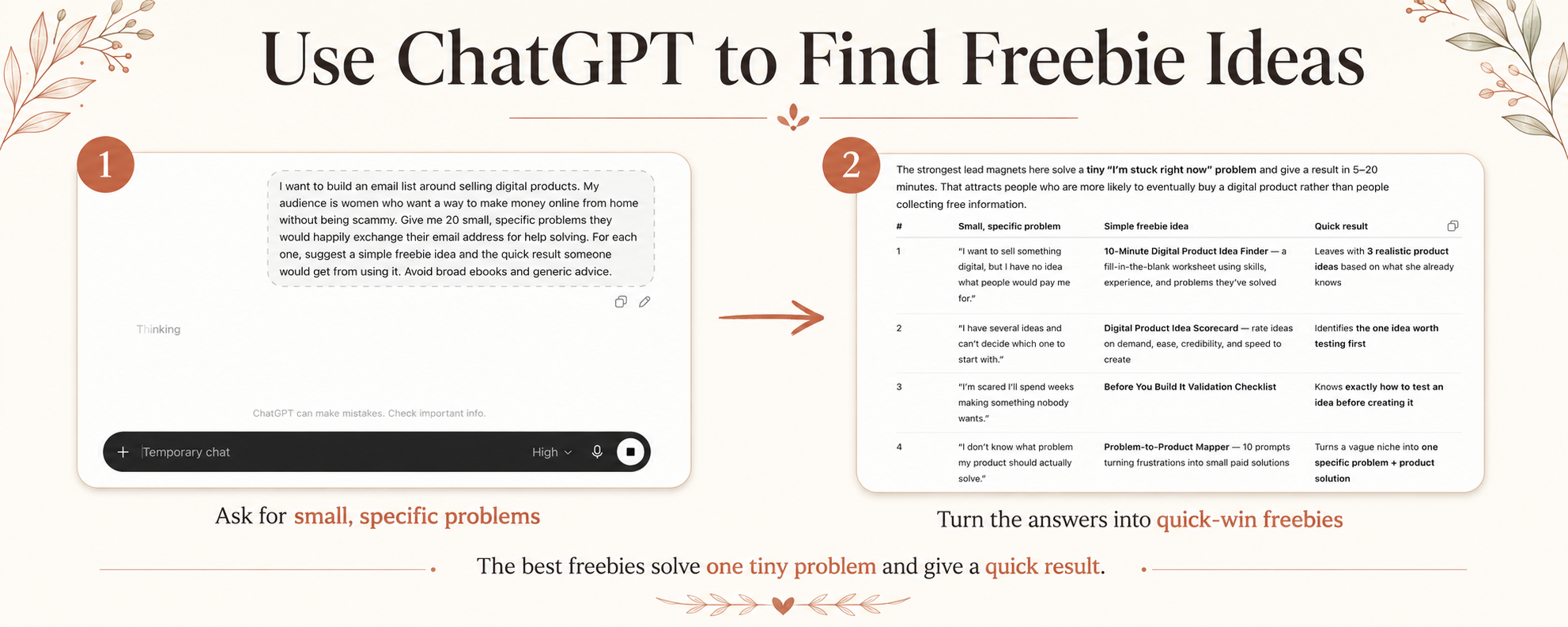
Then look through the ideas and choose one you could realistically create.
Not necessarily the cleverest one.
Not the biggest one.
The one you can actually finish and publish.
4. Create the Freebie With the Simplest Tool Possible
Once you've chosen the idea, don't immediately make it complicated.
Match the tool to the result.
ChatGPT
I use ChatGPT for things like:
- brainstorming ideas;
- creating an outline;
- generating examples;
- drafting questions;
- improving instructions;
- creating checklists;
- reviewing what I've made;
- and helping me turn a vague idea into something much more specific.
AI is brilliant for getting past the blank-page stage.
But I wouldn't just ask:
“Make me a lead magnet.”
The useful part happens when you've already decided who it's for and what it needs to help them do.
Canva
Use Canva if you're making:
- worksheets;
- PDFs;
- checklists;
- mini guides;
- planners.
Google Docs
Honestly, if your freebie is mainly useful information, a clean Google Doc can be completely fine.
Your audience does not care which software you spent six hours designing it in.
Google Sheets or Excel
These are perfect for:
- calculators;
- trackers;
- databases;
- planning tools;
- scorecards.
Tip
Use the simplest format that delivers the result.
A brilliant one-page checklist is better than a 30-page workbook nobody finishes.
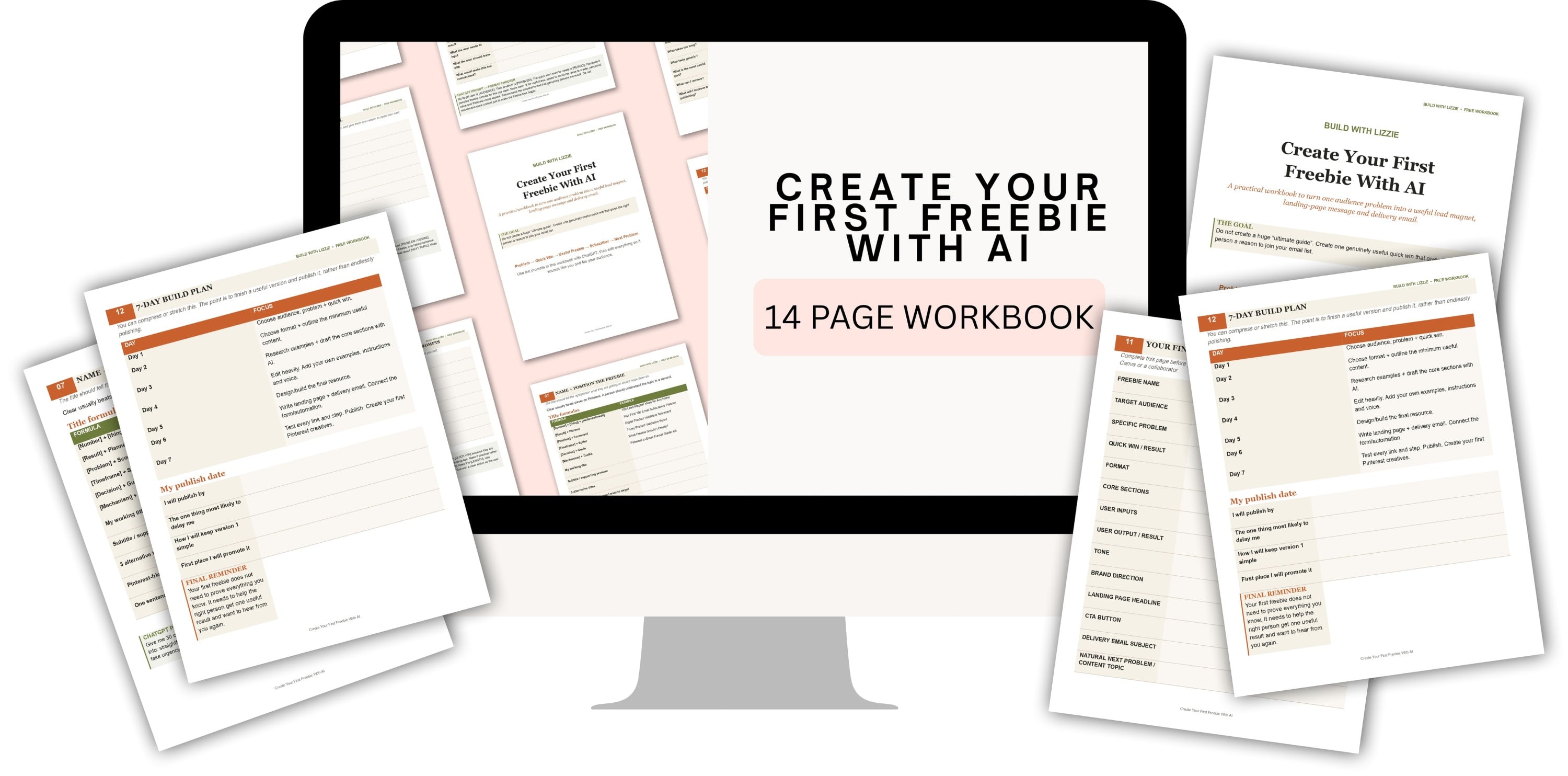
My own freebie is a workbook rather than a huge ebook because the goal is to help someone actually choose and develop an idea.
Stuck on What Your Freebie Should Be?
If you're currently reading this thinking:
“Okay… but I still don't actually know what I should make.”
That's exactly why I created my free Create Your First Freebie With AI Workbook.
It helps you work through your audience, the problem you want to solve, your freebie idea and how AI can help you actually create it.
5. Create a Very Simple Signup Page
Once your freebie exists, you need somewhere people can request it.
This does not need to become a three-day website redesign.
A basic signup page only needs a few things.
A clear headline
Tell them what they're getting.
For example:
Create Your First Freebie With AI
A short explanation
Tell them what it will help them do.
Something like:
Choose a useful freebie idea, shape it around a real problem and use AI to help you bring it to life.
An email field
You need somewhere for them to enter their email address.
That's rather important.
A clear button
I'd choose:
GET THE FREE WORKBOOK
over:
SUBMIT
every single time.
A picture if you have one
A simple mockup or screenshot can make the freebie feel more tangible.
Tool: MailerLite
I'm currently using MailerLite for things like landing pages, forms and email automations.
There are other email platforms, but whichever one you choose, don't let researching software become the thing that stops you starting.
Pick one.
Build the page.
Move on.
And please don't spend three hours trying to decide whether your button should be terracotta or slightly darker terracotta.
I've been there.
The offer matters more.
6. Set Up One Delivery Email
Next, somebody needs to actually receive the thing they signed up for.
Your first email can be incredibly simple.
You could use a subject like:
Your free workbook is here 🎉
Then inside:
Thank them for signing up.
Give them the link.
Tell them the first thing you'd recommend they do with the resource.
And briefly explain what kind of emails you'll send them next.
That's enough.
Simple MailerLite automation
Set it up so that:
Someone joins your freebie group → MailerLite automatically sends the delivery email.
Congratulations.
You now technically have an email funnel.
Even if it's the least intimidating funnel ever created.
7. Give Them a Reason to Keep Opening Your Emails
The freebie gets somebody onto your list.
What you send afterwards is what makes joining worthwhile.
You do not immediately need 25 emails written in advance.
Start with a few useful next steps.
If somebody downloaded my Create Your First Freebie With AI Workbook, for example, the next emails could help them:
Email 1: Access the workbook.
Email 2: Choose the strongest freebie idea.
Email 3: Avoid making the freebie too big.
Email 4: Start getting the freebie in front of people.
Everything naturally follows the thing they originally asked me for.
That's a much nicer experience than:
“Thanks for downloading my checklist! Anyway, here's something completely unrelated I'd like you to buy.”
8. Once It's Built, You Need Traffic
This is the stage where I think it's really easy to get distracted.
You create your freebie.
You create your signup page.
And then instead of promoting it, you think:
Maybe I need another freebie.
Probably not.
You need people to see the first one.
You could promote it through:
- Pinterest;
- blog posts;
- social media;
- existing website traffic;
- YouTube;
- relevant collaborations;
- anywhere else your audience already spends time.
I'm particularly interested in the Pinterest + blog + freebie route because it gives each piece of content a job.
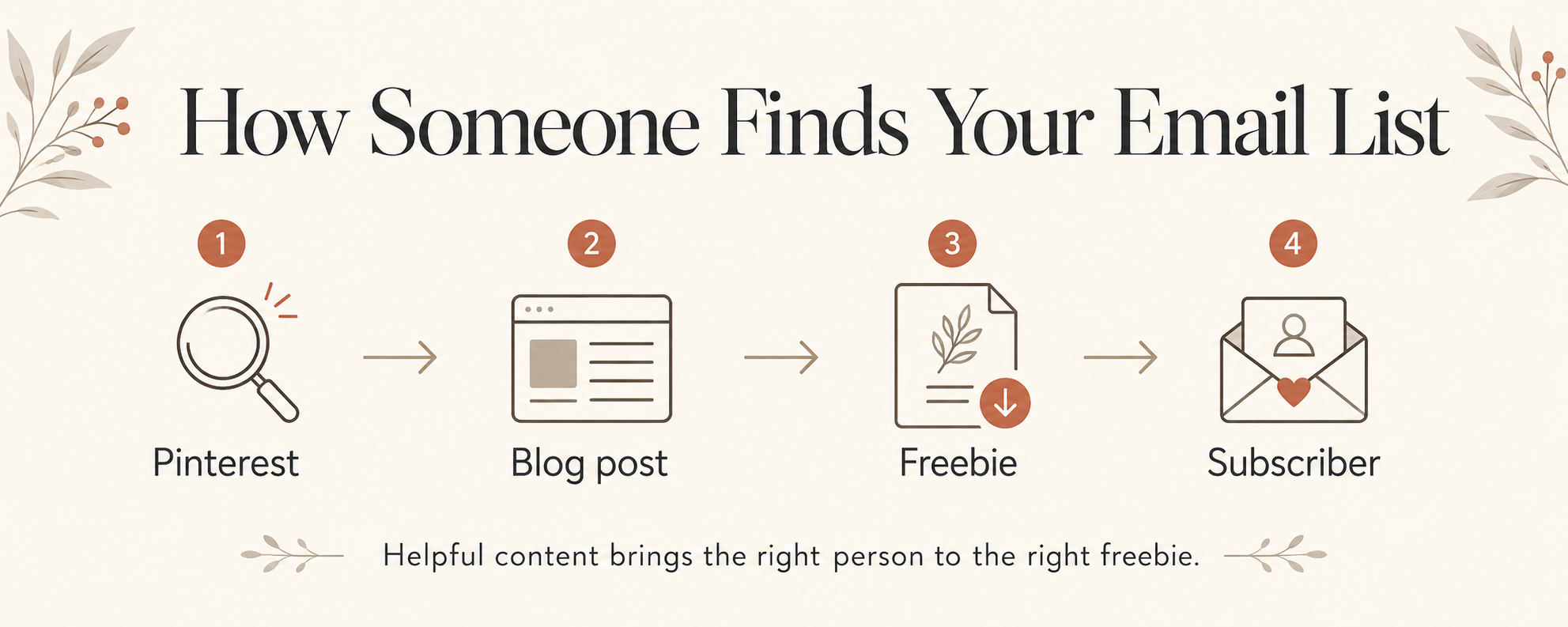
Someone searches Pinterest.
They find a useful Pin.
That takes them to a genuinely helpful blog post.
The blog post introduces a free resource that helps them take the next step.
They subscribe.
Now you have a way to continue helping them without hoping they randomly stumble across another one of your Pins next month.
That's the system.
9. Don't Wait Until It's Perfect
This is something I'm having to remind myself of while building my own stuff.
It is incredibly easy to convince yourself that you need:
One more page.
One more email.
Another mockup.
A prettier landing page.
Ten more Pins.
A better logo.
Another week of research.
But at some point, the only thing that can really tell you whether your freebie works is putting it in front of actual people.
Then you can learn:
- whether people click;
- whether they subscribe;
- which topics attract the most interest;
- which Pins work;
- what people open;
- and what they need help with next.
That information is worth far more than another week spent guessing.
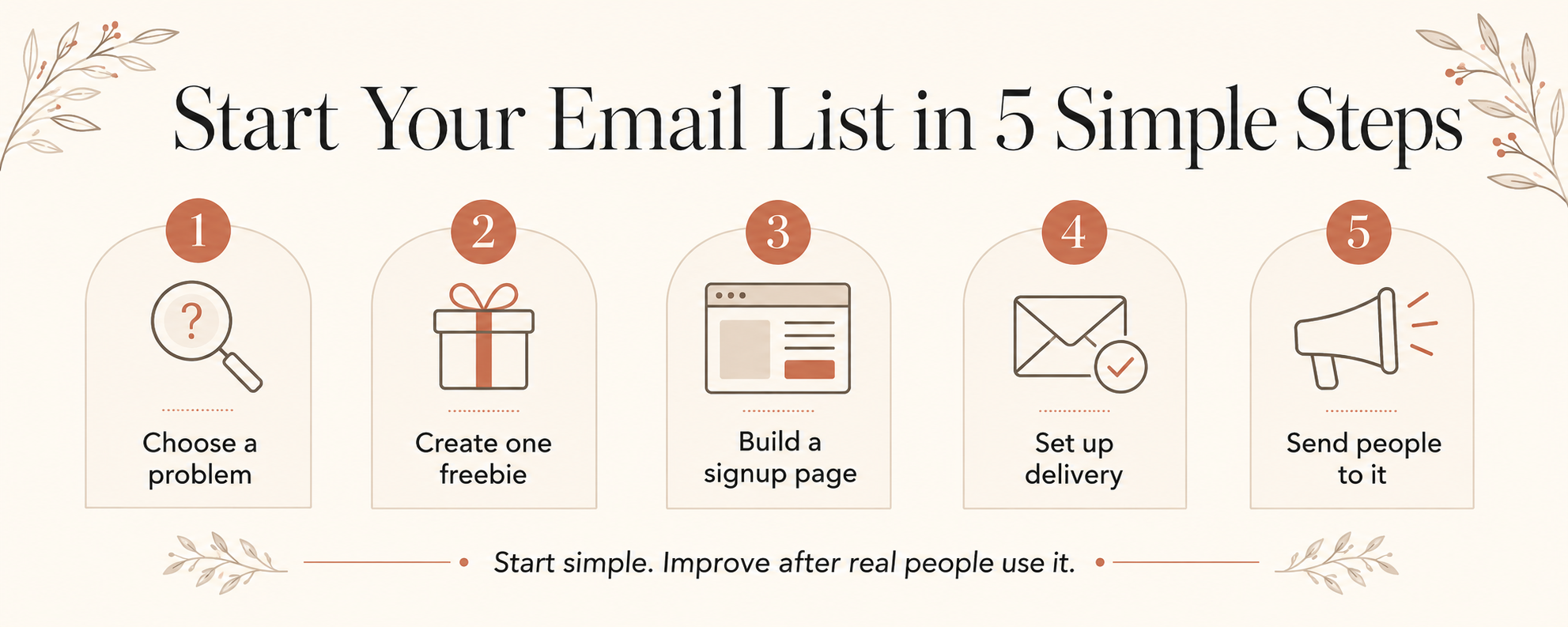
Start Your Email List in 5 Simple Steps
If all of this still sounds like a lot, strip it right back.
Step 1: Choose one problem
Pick one small problem your audience already wants solved.
Step 2: Create one freebie
Use ChatGPT, Canva, Google Docs or Sheets to make the simplest useful version.
Step 3: Create a signup page
Headline. Short explanation. Email box. Button.
Done.
Step 4: Set up the delivery email
Make sure somebody who subscribes actually receives what you promised.
And test it yourself.
Step 5: Get people to see it
Create a blog post.
Make some Pinterest Pins.
Share it wherever your audience already looks for help.
And that's it.
You have an email-list system.
You can make it more sophisticated later.
You Don't Need an Audience to Start
You don't need 10,000 followers before starting an email list.
You don't even need 100.
You just need to give one right person one good reason to subscribe.
Then you find the next person.
And the next.
And you learn as you go.
If the bit you're currently stuck on is:
“But what would anybody actually want me to give them?”
Start with my free Create Your First Freebie With AI Workbook.
It will help you choose your idea, make it more specific and use AI to help you turn it into something real.