Lead Magnet Ideas for Freelancers: 25 Freebie Ideas to Grow Your Email List and Attract Clients
Looking for lead magnet ideas for freelancers that could actually help you grow your email list and attract potential clients?
You don't need to spend three weeks making a 47-page ebook.
In fact, I wouldn't.
A really good freelancer lead magnet can be surprisingly small.
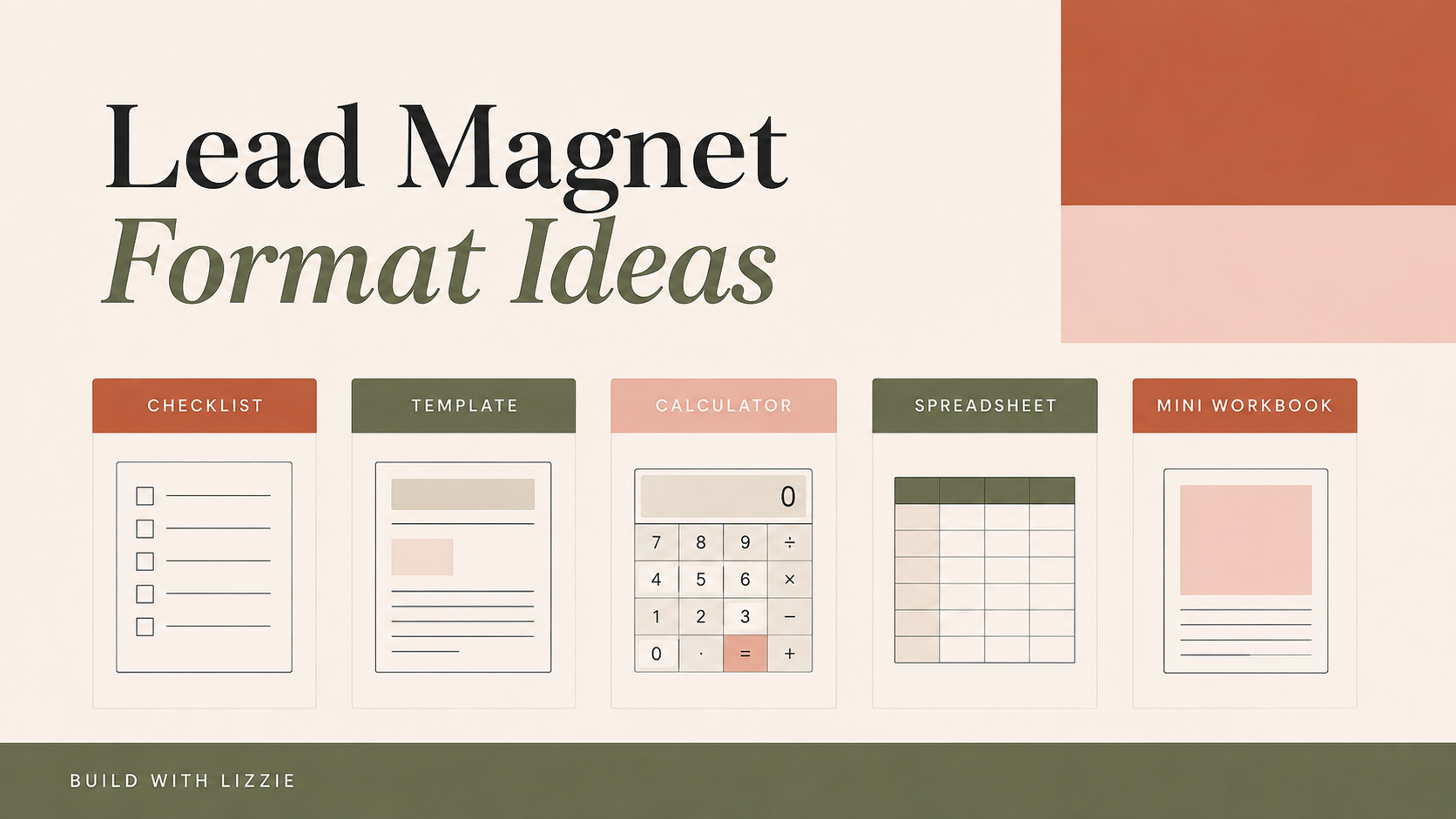
A checklist.
A template.
A calculator.
A mini audit.
A spreadsheet.
A short workbook.
Something that helps the right person solve one annoying little problem and leaves them thinking:
That was actually useful.
That's what you want.
Because the goal isn't just to collect email addresses.
It's to attract people who are interested in the kinds of problems you already know how to solve.
So if you're trying to work out what lead magnet to create for your freelance business, here are 25 ideas you can adapt — plus a simple way to use AI to create one without turning it into a massive project.
What Is a Lead Magnet for Freelancers?
A lead magnet is a useful free resource someone receives in exchange for joining your email list.
For freelancers and service providers, I think the best lead magnets usually do one of four things:
Help someone spot a problem.
Help them make a decision.
Help them complete a small task.
Help them work out what to do next.
You are not trying to solve their entire business for free.
You're creating a useful small win.
For example, if you're a Pinterest manager, you could create a:
Pinterest Profile Audit Checklist
If you're a copywriter:
Homepage Copy Planner
If you're a virtual assistant:
What Should I Outsource? Business Audit
If you're a web designer:
Website Launch Checklist
All of those resources are helpful on their own.
But they also attract someone who is already thinking about a problem connected to the service you sell.
That's much more useful than creating a random freebie because somebody on Instagram told you that you "need a lead magnet."
25 Lead Magnet Ideas for Freelancers
1. Quick Audit Checklist
Create a checklist people can use to review something you normally help clients improve.
For example:
- website audit checklist;
- Pinterest account audit;
- SEO checklist;
- brand consistency audit;
- email marketing audit;
- business systems audit.
This is one of my favourite lead magnet formats for service providers because it helps someone notice gaps they might not have realised were there.
2. Client Readiness Checklist
Help someone work out whether they're actually ready for the next step.
You could create:
Are You Ready to Hire a Virtual Assistant?
Are You Ready for a Website Redesign?
Is Your Business Ready for Pinterest Marketing?
Are You Ready to Start Email Marketing?
It's useful without requiring you to give away your entire process.
3. DIY vs Hire a Freelancer Calculator
This could be a really clever spreadsheet freebie.
Help someone compare:
the cost of hiring someone
with:
the time and cost of doing it themselves.
This can work particularly well for services where people underestimate how much time DIY takes.
4. Project Planning Template
Create a simple template for the kind of project your ideal client is trying to complete.
For example:
Website Project Planner
Rebrand Planner
Podcast Launch Planner
Pinterest Content Planner
Email Welcome Sequence Planner
You're helping them get organised before they need deeper support.
5. Cost Calculator
If money is part of the decision, turn it into a useful tool.
Think:
Website Budget Calculator
Launch Budget Planner
Content Creation Cost Calculator
Brand Photography Budget Planner
A calculator can often feel more useful than a long guide because the person gets an answer that's specific to them.
6. Canva Template Pack
Create a small pack of editable Canva templates.
You might offer:
- Pinterest templates;
- social graphics;
- workbook pages;
- lead magnet pages;
- presentation templates;
- client document templates.
You don't need to give away 100.
Five genuinely useful templates can be a better freebie than 50 mediocre ones.
7. Swipe File
A swipe file gives someone examples they can refer back to whenever they're stuck.
You could create:
50 Email Subject Line Ideas
30 Pinterest Pin Headline Formulas
25 Call-to-Action Examples
20 Homepage Headline Examples
50 Content Hooks for Coaches
These can also work really well for Pinterest because the benefit is immediately obvious.
8. 30-Day Action Plan
Take a bigger goal and break it into manageable actions.
For example:
30-Day Pinterest Starter Plan
30 Days to Improve Your Website
30-Day Content Marketing Plan
30-Day Email List Growth Plan
Just make sure the plan is realistic.
Nobody needs 30 days of busywork simply because the title says "30-Day Challenge."
9. Pre-Launch Checklist
This is a brilliant format if your service connects to something people publish or launch.
For example:
Website Launch Checklist
Digital Product Launch Checklist
Email Campaign Checklist
Podcast Launch Checklist
Lead Magnet Launch Checklist
Checklists work because they reduce that horrible:
I'm sure I've forgotten something...
feeling.
10. Planning Spreadsheet
A lead magnet does not have to be a PDF.
In fact, I love freebies that people can actually use.
You could create:
Content Planning Spreadsheet
Marketing Campaign Planner
Freelance Project Tracker
Business Admin Planner
Client Enquiry Tracker
A simple spreadsheet can help someone organise, calculate, compare or make a decision - which can make it much more useful than another document sitting unread in their Downloads folder.
11. Template Bundle
Bundle three to five related resources around one problem.
For example:
Client Onboarding Starter Kit
You might include:
- client information template;
- discovery-call questions;
- project checklist;
- onboarding email template.
Keep the bundle focused.
More files doesn't automatically mean more value.
12. Mini Workbook
Create a short workbook that helps someone think through one problem.
You could make:
Brand Clarity Workbook
Homepage Planning Workbook
Pinterest Keyword Planning Workbook
Service Offer Clarity Workbook
I would keep it short enough that someone could realistically finish it.
13. Resource List
Curate useful tools, websites or resources for one particular outcome.
For example:
My Favourite Free Tools for Creating Digital Content
The Beginner's Pinterest Toolkit
10 Tools That Make Running a Freelance Business Easier
The trick here is curation.
Don't dump 75 links into a document and call it a resource library.
Tell people what each resource is useful for.
14. AI Prompt Pack
If your audience is interested in AI, create prompts around a very specific task.
For example:
25 ChatGPT Prompts for Creating Pinterest Content
30 AI Prompts for Better Website Copy
20 ChatGPT Prompts for Planning Your First Lead Magnet
50 AI Prompts for Freelancers
The prompts should help someone do something.
Not just ask ChatGPT vague questions and hope something useful happens.
15. Mistakes Checklist
People are naturally curious about what they might be getting wrong.
You could create:
10 Website Mistakes Costing You Enquiries
15 Pinterest Mistakes Beginners Make
10 Email Marketing Mistakes to Fix
12 Client Onboarding Mistakes Freelancers Make
This also works nicely as a diagnostic lead magnet.
16. Decision-Making Tool
Help someone answer a question they're already stuck on.
For example:
Which Website Platform Should I Use?
Should I DIY My Branding or Hire a Designer?
Which Social Media Platform Should I Focus On?
Am I Ready to Outsource?
You could create this as a worksheet, quiz, scorecard or spreadsheet.
17. Budget Planner
Create a simple budget tool linked to your area of expertise.
You could make:
Website Budget Planner
Marketing Budget Spreadsheet
Launch Budget Calculator
Content Creation Budget Planner
The more specific the situation, the more useful the tool tends to become.
18. Client Brief Template
If people frequently come to you without knowing what information you need, turn that into a freebie.
For example:
Website Design Brief Template
Copywriting Brief Template
Pinterest Management Brief
Brand Photography Brief
You're helping them prepare while also showing them how a professional approaches the project.
19. Email Template Pack
Give people ready-to-adapt emails for a specific situation.
For example:
Client Follow-Up Email Templates
Testimonial Request Templates
Welcome Email Templates
Launch Email Templates
Enquiry Response Templates
Again, niche down where you can.
"20 Client Emails for Wedding Photographers" is much easier for the right person to recognise as useful than "Email Templates."
20. Content Idea Generator
Help your ideal client stop staring at a blank content calendar.
You could create:
100 Blog Post Ideas for Coaches
50 Pinterest Content Ideas for Etsy Sellers
30 Instagram Ideas for Wedding Photographers
Content Idea Generator for Virtual Assistants
This could be a PDF, spreadsheet, database or prompt-powered resource.
Want to create your own freebie but don't know what should go inside it?
I've made a free Create Your First Freebie With AI workbook to help you go from vague idea to something you can actually build.
It walks you through choosing the idea, working out who it's for and using AI to help structure and create it — without trying to make a giant "ultimate guide."
21. 60-Minute Quick-Win Guide
Promise one small result that feels achievable.
For example:
Improve Your Homepage in 60 Minutes
Set Up Your Pinterest Business Account in One Hour
Plan Your Welcome Sequence in 60 Minutes
People are much more likely to start something that feels manageable.
22. Scorecard
Create a series of questions that produces a useful score.
For example:
Website Conversion Score
Pinterest Account Health Score
Brand Clarity Scorecard
Email List Readiness Score
You could build this in a spreadsheet so the result calculates automatically.
Even better, give people a different recommendation depending on their result.
23. Before-You-Hire Guide
Help potential clients understand what to prepare before paying someone in your field.
For example:
7 Things to Prepare Before Hiring a Web Designer
What to Know Before Hiring a Virtual Assistant
What You Need Before Working With a Copywriter
It's useful educational content that also moves someone closer to being ready to hire.
24. Mini SOP
Share a simplified version of a process you use.
For example:
My Weekly Pinterest Workflow
Monthly Website Maintenance SOP
10-Step Blog Publishing Workflow
Simple Client Onboarding Process
You don't need to hand over every detail of your paid service.
Just give them a process that helps them get a result.
25. Personalised AI Planner
This is one of the more interesting formats you can create now.
Build a short worksheet that asks the user questions about their:
- business;
- audience;
- goal;
- problem;
- resources;
- preferences.
Then give them prompts they can paste into ChatGPT using their own answers.
Instead of giving everyone exactly the same static information, you're helping them generate something more personalised.
The Best Lead Magnet Ideas Solve a Smaller Problem
One of the easiest mistakes to make when creating a lead magnet is going too big.
Imagine you're a freelance email marketer.
You could create:
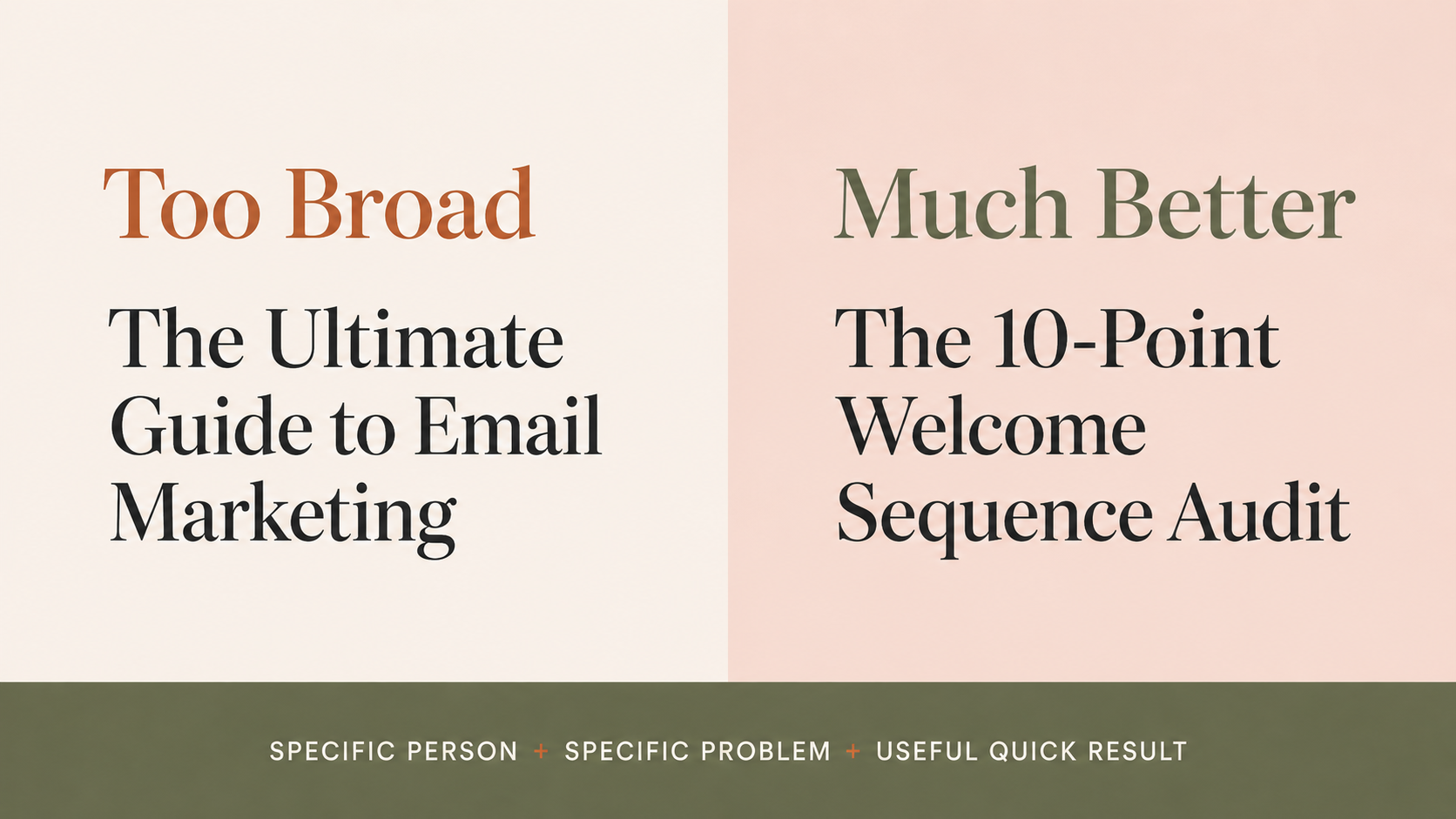
The Ultimate Guide to Email Marketing
But that's huge.
Huge to create.
Huge to read.
And probably not what somebody actually wants at 9:47pm when they're Googling why nobody opens their welcome emails.
Instead, you could make:
The 10-Point Welcome Sequence Audit
or:
5 Emails Every New Subscriber Should Receive
or:
Welcome Email Template Pack
Now the problem is obvious.
The result is obvious.
And the person downloading it is already interested in something directly connected to your expertise.
That's much stronger.
Use This Simple Lead Magnet Formula
If you're struggling to make your idea specific enough, use:
Specific person + specific problem + useful quick result
Instead of:
Social Media Guide
try:
30 Instagram Content Ideas for Wedding Photographers
Instead of:
Website Checklist
try:
15 Things to Check Before Launching Your Coaching Website
Instead of:
Business Planner
try:
Weekly Admin Planner for Solo Service Businesses
Specific normally beats impressive.
You don't need everyone on Pinterest to want your freebie.
You need the right person to see it and immediately understand why it's for them.
Your Lead Magnet Should Connect to Your Freelance Service
This is where I think a lot of lead magnet advice goes wrong.
It focuses on:
What would get lots of downloads?
I'd ask something different:
What does my ideal client need shortly before they need my paid service?
That's often where your strongest lead magnet idea is hiding.
A freelance bookkeeper could create a:
Monthly Business Finance Checklist
A brand designer:
Brand Clarity Workbook
A Pinterest manager:
Pinterest Account Setup Checklist
A virtual assistant:
What Should I Outsource? Audit
A copywriter:
Sales Page Planning Worksheet
In every example, the lead magnet solves the problem immediately before the bigger paid problem.
That's a much more useful email subscriber than someone who downloaded a generic "100 motivational quotes for entrepreneurs" PDF and has no idea what you sell.
Don't Assume Your Lead Magnet Has to Be a PDF
PDFs are great.
But they're only one format.
Some of the most useful lead magnet ideas for freelancers and service providers are things people can interact with:
spreadsheets
calculators
trackers
scorecards
templates
decision tools
mini planners
The question I'd ask is:
What format makes this problem easier to solve?
If someone needs information, a short guide might work.
If they need to calculate something, make a calculator.
If they need to organise something, make a planner.
If they need to make a decision, make a comparison tool.
If they need to actually create something, give them a template.
Choose the format around the problem — not around what everyone else seems to be giving away.
How to Create a Lead Magnet With AI
This is where AI can make the whole process much faster.
You can use ChatGPT to help you:
- brainstorm lead magnet ideas;
- narrow down the audience;
- find a more specific angle;
- organise the content;
- create checklist items;
- develop workbook questions;
- suggest spreadsheet categories;
- write examples;
- create instructions;
- turn one idea into several possible formats.
But I wouldn't start with:
Make me a lead magnet.
Give AI some context first.
Tell it:
Who you help.
What problem they have.
What you eventually want to sell.
Then try:
I am a [TYPE OF FREELANCER] helping [AUDIENCE] with [PROBLEM]. My paid service helps them [RESULT]. Give me 20 specific lead magnet ideas that could attract people who may eventually need my service. Prioritise practical resources such as templates, checklists, calculators, spreadsheets, scorecards, planners and mini audits. For each idea, explain the quick win and how it naturally connects to my paid service.
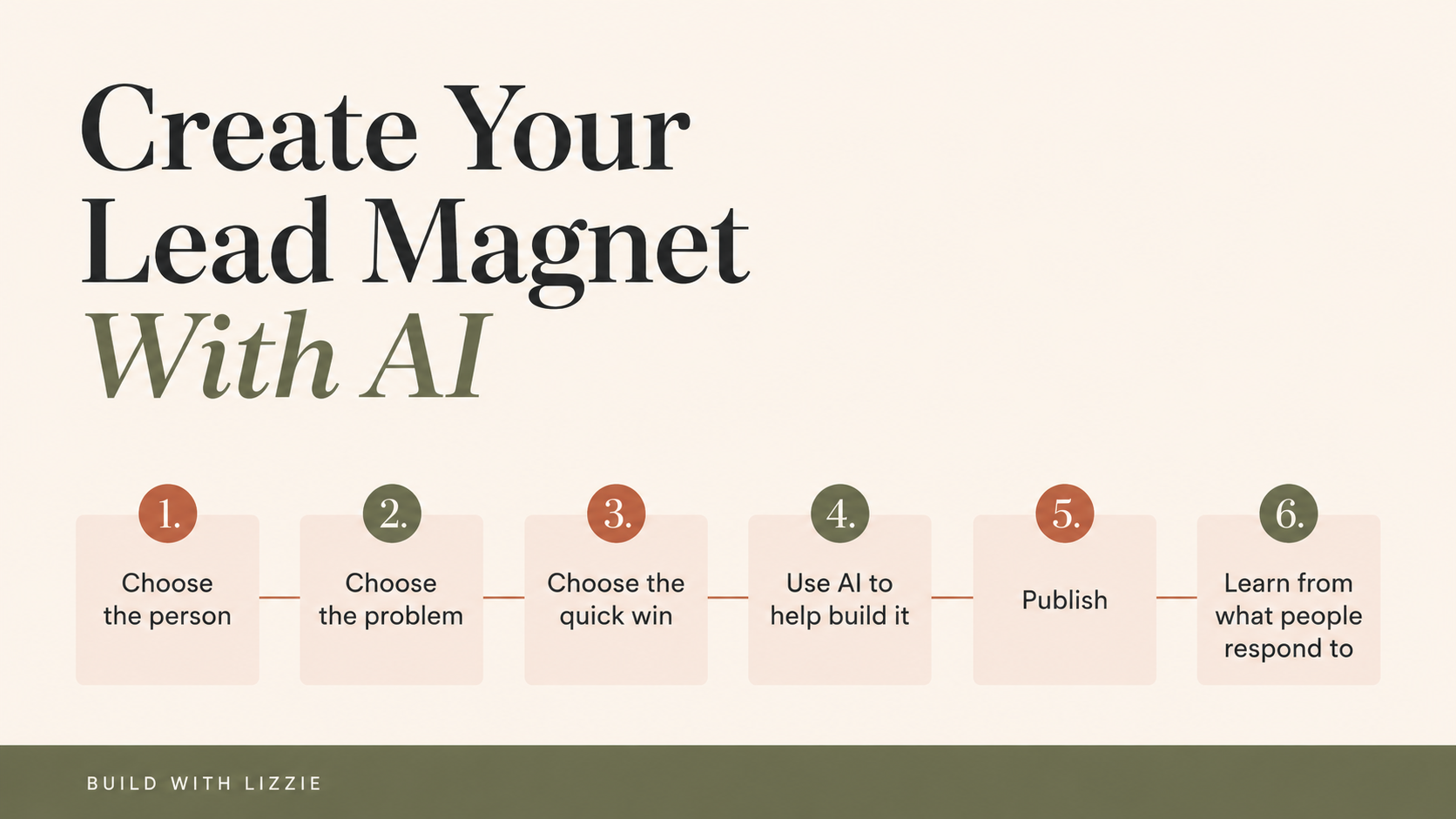
Then shortlist the best ideas.
Don't immediately make all 20.
That is exactly how you end up with 17 half-finished Canva files and no actual lead magnet.
Pick one.
Make it useful.
Publish it.
Start sending people to it.
Then pay attention to what happens.
How to Choose Your First Lead Magnet
If you're still stuck between several ideas, I'd make the format decision really simple.
Create a checklist if...
Your audience doesn't know what they should be doing.
Create a template if...
They know what to do but struggle with how to do it.
Create a spreadsheet or calculator if...
They need to organise, calculate, compare, track or decide something.
Create a workbook if...
They need to think through a problem and create a plan.
Create a swipe file if...
They need ideas, examples or inspiration.
And then make the smallest version that still creates a genuinely useful result.
You can always make version two later.
If this is the point where you normally disappear into ChatGPT or Canva for six hours...
Start with my free Create Your First Freebie With AI workbook instead.
It helps you work out:
what to create, who it's for, what problem it should solve and how AI can help you build it.
The goal isn't to make the biggest freebie possible.
It's to make something useful enough to publish and start learning from.
How a Lead Magnet Can Help You Get Freelance Clients
Your lead magnet doesn't need to make someone hire you immediately.
That's not really its job.
Think of the journey more like this:
Someone discovers one of your Pins.
They click through to one of your blog posts.
They find your advice useful.
They download your free resource.
Now they're on your email list.
You can keep helping them.
They get to understand how you think and what you help with.
And when they're ready for more help, you're no longer a random freelancer they've just discovered five minutes ago.
That's why I like the model of:
Useful content → useful freebie → email subscriber → relationship → offer
You don't need to build the whole giant funnel on day one.
Start with one useful lead magnet.
Put it in front of people.
See what gets clicked.
See what gets downloaded.
See what questions people ask afterwards.
Then use that information to decide what to create next.
Create Something Useful and Get It Out There
Your first freelancer lead magnet does not need to be perfect.
It doesn't need 50 pages.
It doesn't need seven bonuses.
And it definitely doesn't need three weeks of tweaking because you're not sure whether the heading should be terracotta or slightly darker terracotta.
It needs to solve one recognisable problem for one recognisable person.
Use AI to make the creation part faster.
Use your own judgement to make it genuinely useful.
Then publish it.
Because you'll learn far more from getting a good freebie in front of real people than you will from endlessly trying to create the perfect one.